Imaging Solutions for Imaging Centers and Specialty Clinics
Fast, secure access to 2D, 3D, and CBCT diagnostic imaging with web-based referring physician access. MiPACS handles high-volume imaging centers and specialty practices with enterprise reliability
Supporting CT, MRI, ultrasound, and multi-modality diagnostic imaging
.webp)
Imaging built around the needs of specialty clinics
MiPACS understands the unique requirements of diagnostic imaging workflows and referring physician access
Imaging centers and specialty practices have unique requirements: high-volume throughput, multi-modality support, referring physician access, and integration with multiple referring practices' systems. You need imaging technology that handles diverse modalities, provides secure remote access, and streamlines communication with referring providers.
MiPACS delivers comprehensive PACS for imaging centers with zero-footprint web viewing for referring physicians, support for CT, MRI, ultrasound, CBCT, and other modalities, and the scalability to grow from single-site operations to multi-location enterprises.
Multi-Modality Support

One platform for CT, MRI, ultrasound, CBCT, optical CT, fundus photography, and more. Unified viewer for all imaging types.
Zero-Footprint Web Access

Referring physicians access patient images securely from any browser. No software installation, no CDs, no delays.
High-Volume Performance
.png)
Optimized for diagnostic imaging centers processing hundreds or thousands of studies. Fast, reliable, and scalable.
Everything your clinics need in one platform
MiPACS HTML5 Web Viewer
Zero-footprint web viewer accessible from any browser. Referring physicians view patient images without installing software or receiving physical media.
Secure, Patient-Specific Access
Controlled access ensures referring physicians only view their own patients' images. HIPAA-compliant security with comprehensive audit logging.
Eliminate Physical Media Costs
Stop burning CDs and printing films. Web-based access saves time, reduces costs, and improves referring physician satisfaction.
Comprehensive Modality Coverage
CT (Computed Tomography, MRI (Magnetic Resonance Imaging), Ultrasound, CBCT (Cone Beam CT), Optical CT (OCT), Fundus Camera Photography, Digital Radiography, and more
Unified Viewing Experience
One viewer with all the tools clinicians need: window/level adjustments, zoom, magnify, cine player, series comparisons, annotations, and measurements.
DICOM 3.0, DICOMweb Compliance
Full standards compliance ensures compatibility with any DICOM-enabled modality, regardless of manufacturer.
Customized Viewing Protocols
Create custom display orientations and hanging protocols based on DICOM tags. Automatically display images correctly based on patient positioning and scan type.
Patient Series Timeline
Visual timeline of patient imaging history makes it easy to track studies over time and identify trends.
Thumbnail Browser
Quick access to all patient images through intuitive thumbnail navigation. Find what you need fast.
Multi-Site Support
Centralized image storage with access across multiple imaging center locations. Perfect for growing imaging enterprises.
Integration Options
Seamless integration with RIS (Radiology Information Systems), EHR platforms, and clinical management systems.
Benefits that matter to your entire team
For Center Management
Access Images and Reports from Any Browser With fast, web-based access to images and reports, referring physicians can review cases sooner and keep patient care moving.
Scale Your Business Add new modalities, expand to multiple locations, or grow study volume without replacing your PACS infrastructure.
Streamline IT Management One system to manage across all modalities and locations. Simplified backups, maintenance, and support.
For Clinical Teams
Work More Efficiently Unified viewer for all modalities means less time switching between systems and more time on interpretation.
Access Images Anywhere Radiologists and specialists can review studies from any location with proper credentials. Support remote reading and on-call workflows.
Better Patient Communication Visual tools and annotations help explain findings to patients and referring physicians clearly.
Featured Case Study: Charlotte Eye Ear Nose & Throat Associates
.webp)

Charlotte Eye Ear Nose & Throat Associates operates 18 clinics throughout the Charlotte region. Despite using digital imaging (CT, ultrasound, optical CT, fundus camera photography) for years, their workflow hadn't evolved from the film era. Each device maintained its own private database, creating "islands of data" across their network.
No centralized access across 18 offices
Growing need for enterprise-wide access
Expensive film printing for exam room viewing
Images only accessible at capture workstations
Patients had to transport films or CDs between locations
MiPACS collaborated with CEENTA to develop a complete PACS solution specifically for ENT and multi-specialty practices:
Unified viewer for all imaging types across all locations
Complete elimination of film and manual CD burning
Images accessible from any exam room in any of 18 offices
Streamlined workflows for clinicians
Simplified IT management with centralized architecture
Foundation for future imaging expansion across ophthalmology and other specialties
Specialty practice applications
MiPACS serves diverse specialty practices

ENT (Ear, Nose, Throat)
CT, ultrasound, optical CT, endoscopic imaging with custom viewing protocols for specialty workflows.

Ophthalmology
Fundus photography, OCT imaging, visual field testing with specialized display protocols.
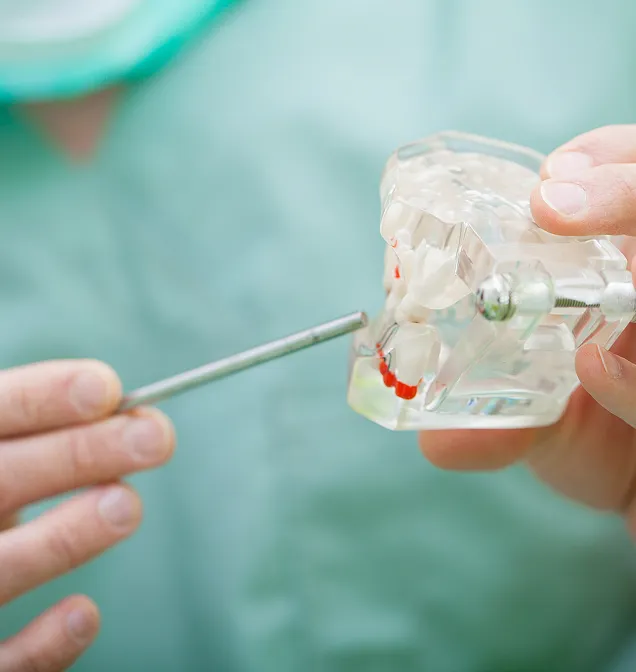
Oral & Maxillofacial Surgery
CBCT, panoramic imaging, 3D surgical planning with advanced visualization tools.
.webp)
Orthodontics
Cephalometric analysis, CBCT imaging, treatment planning and progress tracking.

Multi-Specialty Medical Centers
Comprehensive PACS supporting diverse imaging needs across multiple specialties in one enterprise.
The full MiPACS platform, configured for your centers or clinic
While designed for imaging center workflows, you get all the enterprise capabilities of the MiPACS platform:
Universal Compatibility
Multi-modality support (CT, MRI, ultrasound, CBCT, OCT, more)
200+ supported imaging devices
DICOM 3.0 & DICOMweb compliant
Enterprise Security
HIPAA-compliant audit logging
Patient-specific access controls
Encrypted web communication
Secure referring physician access
Proven Reliability
High-volume performance
Multi-site scalability
Expert implementation & support
Proven across medical specialties
MiPACS Imaging and Specialty Clinics FAQ
Find answers to common questions about MiPACS for imaging centers and specialty clinics, including multi-modality support, web access, integrations, and security.
What is MiPACS for imaging and specialty clinics?
MiPACS is a PACS platform for specialty imaging workflows. It helps clinics capture, view, store, and manage diagnostic images across modalities and locations.
What imaging modalities does MiPACS support?
MiPACS supports CT, MRI, ultrasound, CBCT, optical CT, fundus photography, digital radiography, and other DICOM-enabled modalities.
Can referring physicians access images online?
Yes. MiPACS supports secure, zero-footprint web access. Referring physicians can view patient images from a browser without installing software.
How does MiPACS control referring physician access?
MiPACS supports patient-specific access controls. Referring physicians can be limited to the images they are authorized to view.
Can MiPACS replace CDs and printed films?
Yes. Browser-based image access can reduce the need for CDs, printed films, and manual image sharing workflows.
Does MiPACS support high-volume imaging centers?
Yes. MiPACS is built to support high-volume imaging environments. It can scale across study volume, modalities, users, and locations.
Can MiPACS integrate with clinical systems?
Yes. MiPACS supports integration with RIS, EHR platforms, and clinical management systems. Integration options can be reviewed during planning.
Does MiPACS support multi-site specialty practices?
Yes. MiPACS supports centralized image storage and access across multiple clinic locations. This helps teams view imaging history across the organization.
.webp)

