Locating a Deleted File
.webp)
Deleting an image doesn't necessarily mean it's gone forever. There are two locations for the missing image depending on whether the image was approved or not.
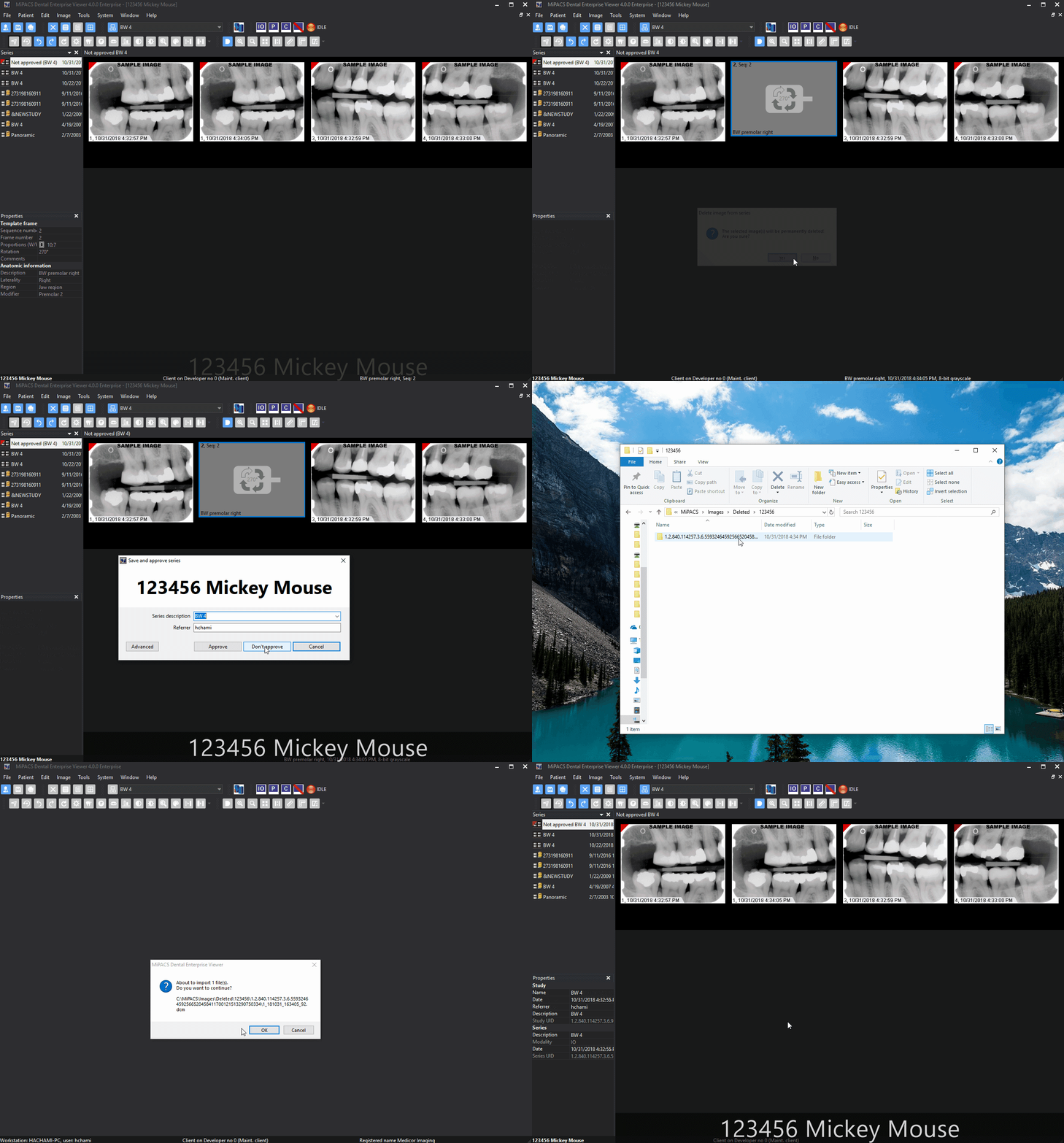
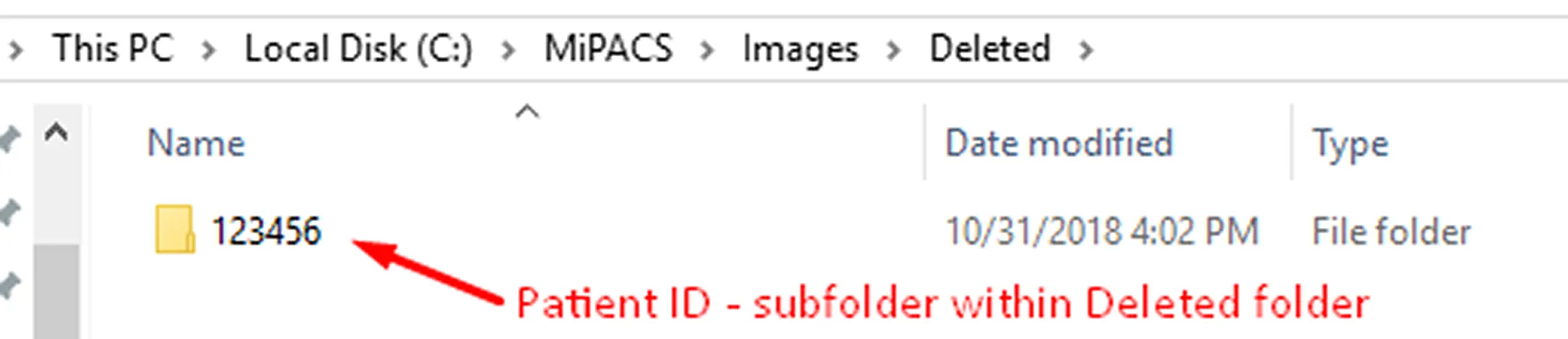
If an image is deleted without being approved, or if it is approved but not saved to the storage server, it goes into the \\<ViewerImageShare>\Deleted folder. Once an image is deleted and the patient has been closed out, a folder will be created with the patient's ID number. Within this folder, the deleted image will appear in another folder with the series number (if additional images from other series are deleted, there will be other subfolders for each series).
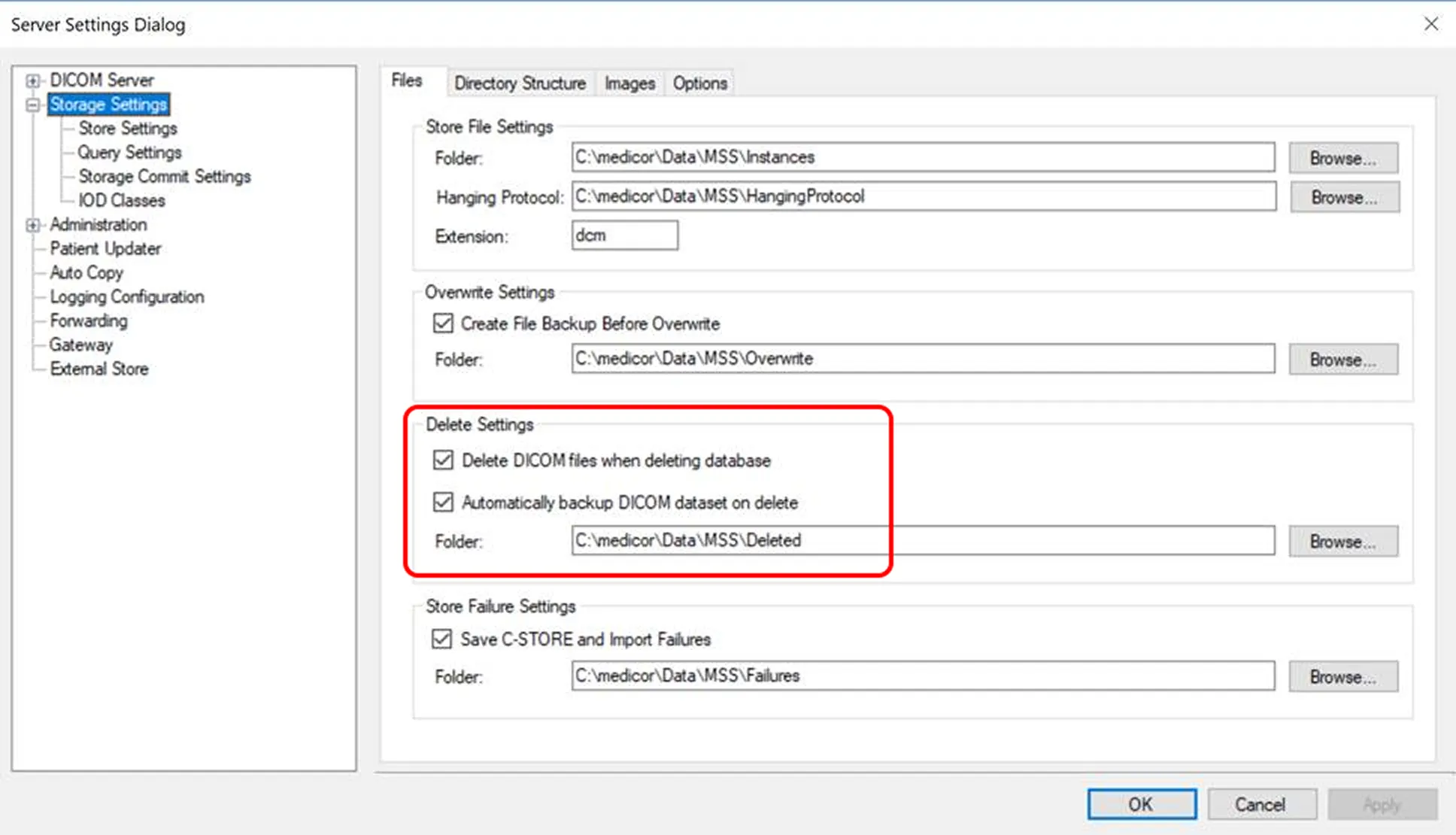
If approved, stored, then deleted with the patient updater, it is put in the Storage Server's Deleted Folder, which is set up under Store Setting on the Storage Server Control Panel. You can use this feature if it's turned on in the MiPACS Storage Server Manager (please note: this feature is off by default). To access this folder, open your MiPACS Storage Server Manager, click Storage Settings, and locate the Delete Folder.